DreamEcho Controls & Input Guide
Stay comfortable on pad or keyboard while Concepts multiply on screen.
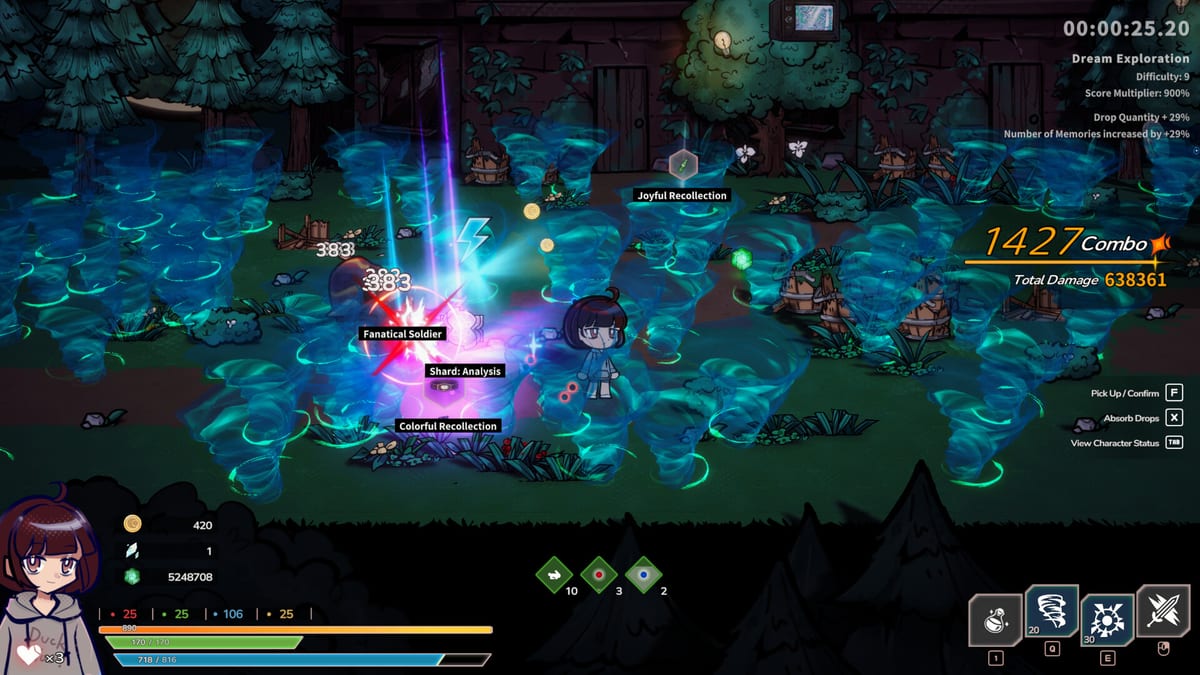
DreamEcho ships with full controller support on Windows, and plenty of players will still prefer keyboard and mouse for inventory fiddling. This controls guide is not a dry key dump—HotWaterStudio may tweak prompts after the August 10, 2026 launch—so we focus on input philosophy that keeps modular Concept combat readable in a single-player roguelite ARPG.
Choose a primary device per session
Mixed input mid-dream causes misclicks when menus appear after a chaotic fight. Pick pad or KBM before you leave Home. If you alternate nights, keep a sticky note of which device owns which muscle memory.
Controller strengths: movement weaving, relaxed couch sessions, fewer precision clicks when you are tired after work—thematically on-brand for DreamEcho’s office-worker story. Keyboard strengths: rapid Concept inspection, chat with friends about Memory trades, precise cursor work in Home refinement screens.
Combat readability beats bind count
Whether on pad or KBM:
- Put your main Concept verb on the most comfortable face button / hotkey.
- Put panic defense or mobility on a bind you can hit without looking.
- Avoid burying a critical modifier toggle behind a menu if you rely on it every pack.
- Lower camera or UI clutter in options if projectiles and summons obscure telegraphing.
Summon/swarm kits especially need clean binds for repositioning while allies work (Summon build). Defensive melee wants reliable strike + guard rhythms (Melee build). Ranged chaos needs strafing comfort (Ranged build).
Menus, Home, and Wish Lists
Home refinement and Dream Wish List editing are slower interfaces than combat. Sit up for those. If you share lists, finish editing before you invite friends to look—typos in a public Wish List waste everyone’s time (Dream Wish List guide).
Accessibility-minded habits
- Enable any aim assist or vibration cues if available and helpful.
- Increase text size where the client allows.
- Take breaks; offline Memory accrual means you are allowed to put the controller down.
- Remap conflicting system hotkeys on Windows that steal focus mid-dream.
Practice drills (ten minutes)
- Enter a low-stakes dream with only your verb socketed.
- Add one delivery modifier; confirm you can still move cleanly.
- Add safety; confirm the panic bind is instinctive.
- Wake and note whether input—not loot—caused mistakes.
These drills pair with How to Play DreamEcho and Dream runs guide.
Sibling guides
Visit Getting Started, Concepts guide, Memories meta guide, DreamEcho tips, and the rest of the Guides Hub. Hardware questions belong on System requirements.
Steam Deck and handheld notes
Community play on Steam Deck may work via Proton/compatibility layers, but HotWaterStudio’s listed platform focus is Windows. Verify controls in Desktop versus Gamepad profiles if you experiment. Official support claims should always be checked on the Steam page for app 3226060.
Closing unique to controls
Your best Concept board is useless if your thumbs disagree. Before you chase another modifier tonight, spend five minutes on binds. DreamEcho’s nightmares are empty and cold in the story intro—your input setup should feel like the opposite: warm, obvious, and ready when the mysterious girl waits at Home for the next outing.
Extended bind workshop
Spend one Home visit mapping only movement and your verb. Spend the next visit adding safety. Spend a third visit adding the experimental modifier key. Players who map everything on night one often invent ghost inputs that sabotage later archetype swaps. If you bounce between summon and ranged weeks, keep a written profile name for each so you are not fighting last month’s muscle memory.
Also practice menu confirmation discipline: accidental discards hurt worse than a missed dodge. Slow thumbs in Home save loud regrets in the dream. When a patch reshuffles defaults, repeat the three-visit workshop instead of forcing old habits onto new prompts.
Finally, test your panic bind in a safe room every time you change archetypes. Summon conductors, melee stompers, and chaos kiters all panic differently—your fingers should know which dream you are in before the elite does.
Frequently Asked Questions
Quick answers to the most common DreamEcho questions.
Does DreamEcho support controllers?
Yes. Full controller support is part of the Windows Steam release.
Is keyboard required for Menus?
No, but some players prefer KBM for Home refinement and Wish List editing speed.
What should I bind first?
Main damage verb and a panic defensive or mobility action you can hit under stress.
Are controls the same after every patch?
Defaults can shift; re-check in-game options after major HotWaterStudio updates.